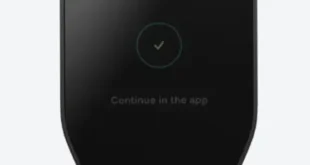
You have bought your first crypto. Now the most important question isn’t which coin to buy next — it’s where to keep what you already own. Get this decision wrong and no amount of smart investing will protect you from losing everything. Get it right and your assets stay safe no matter what happens to an exchange, a platform, or the broader market.
The choice comes down to two types of crypto wallets: hot wallets and cold wallets. This guide explains exactly what each one is, how they differ, the real security trade-offs between them, and how to decide which is right for your situation.
Table of Contents
- What Is a Crypto Wallet?
- What Is a Hot Wallet?
- What Is a Cold Wallet?
- Hot Wallet vs Cold Wallet: Key Differences
- Pros and Cons of Hot Wallets
- Pros and Cons of Cold Wallets
- Which Wallet Is More Secure?
- How Much Should You Keep in Each?
- Best Hot Wallets in 2026
- Best Cold Wallets in 2026
- Common Wallet Security Mistakes to Avoid
- FAQ
1. What Is a Crypto Wallet?
Before comparing hot and cold wallets, it helps to understand what a crypto wallet actually does — because it does not work the way most people assume.
A crypto wallet does not store your coins. Your Bitcoin, Ethereum, or any other cryptocurrency never actually leaves the blockchain. What a wallet stores is your private key — a secret cryptographic code that proves ownership of the coins associated with your wallet address and authorizes transactions.
Think of it this way: your wallet address is like a bank account number — anyone can see it and send funds to it. Your private key is like the PIN and password combined — whoever controls the private key controls the funds. This is where the phrase “not your keys, not your coins” comes from. If someone else holds your private key — like an exchange — they control your crypto, not you.
Every crypto wallet falls into one of two categories based on how it stores your private key: connected to the internet (hot) or completely offline (cold).
2. What Is a Hot Wallet?
A hot wallet is any crypto wallet that is connected to the internet. This includes mobile apps, browser extensions, desktop applications, and the built-in wallets on centralized exchanges.
Hot wallets are designed for convenience and speed. They allow you to send, receive, and trade crypto instantly — making them the tool of choice for everyday transactions, active trading, and interacting with DeFi protocols, NFT marketplaces, and Web3 applications.
Types of Hot Wallets
- Exchange wallets: The wallet provided by a centralized exchange like Coinbase, Binance, or Kraken when you create an account. Convenient but the exchange controls your private keys — not you.
- Mobile wallets: Apps installed on your smartphone such as Trust Wallet, MetaMask Mobile, or Coinbase Wallet. You control the private keys.
- Browser extension wallets: Extensions like MetaMask or Phantom that live in your web browser and connect directly to DeFi protocols and Web3 apps.
- Desktop wallets: Software installed on your computer such as Exodus or Electrum. More secure than exchange wallets but still internet-connected.
3. What Is a Cold Wallet?
A cold wallet is any crypto wallet that stores your private keys completely offline — never connected to the internet during normal operation. Because private keys are kept offline, they are fundamentally inaccessible to hackers, malware, phishing attacks, or any remote exploit.
Cold wallets are designed for long-term, secure storage of crypto you do not need to access frequently. They are the equivalent of a physical safe or a safety deposit box — not convenient for daily use, but extremely secure for protecting significant holdings.
Types of Cold Wallets
- Hardware wallets: Physical devices — typically USB-sized — that store private keys offline and sign transactions internally without ever exposing the key. Examples include the Ledger Nano X, Trezor Model T, and Coldcard. This is the most popular and recommended form of cold storage.
- Paper wallets: A printed piece of paper containing your public address and private key (or a QR code). Completely offline and free to create, but fragile — susceptible to physical damage, loss, or theft. Generally not recommended for most users today.
- Air-gapped computers: A dedicated computer that has never been connected to the internet and is used solely for generating and signing crypto transactions. Used by advanced users and institutional holders for maximum security.
- Steel/metal seed backups: Physical plates made of metal used to store seed phrases fireproof and waterproof. Used alongside hardware wallets as a backup, not as a standalone wallet.
4. Hot Wallet vs Cold Wallet: Key Differences
| Feature | 🔥 Hot Wallet | 🧊 Cold Wallet |
|---|---|---|
| Internet Connection | Always connected | Never connected (offline) |
| Private Key Storage | Stored on internet-connected device | Stored offline on physical device |
| Security Level | Medium | Very High |
| Convenience | Very High — instant access | Low — requires physical device |
| Best For | Daily use, trading, DeFi | Long-term storage, large holdings |
| Hack Risk | Higher — internet-exposed | Very Low — offline |
| Cost | Usually free | $50 – $200+ for hardware wallet |
| Setup Difficulty | Easy — minutes | Moderate — 15–30 minutes |
| Recovery Method | Seed phrase or account login | Seed phrase (12–24 words) |
| DeFi / Web3 Compatible | Yes — natively | Yes — with extra steps |
| Physical Loss Risk | Low | Medium — device can be lost/damaged |
| Exchange Dependency | Yes (exchange wallets) | No — fully self-custodied |
5. Pros and Cons of Hot Wallets
✅ Pros
- Free to use in most cases
- Instant access to your funds
- Easy to set up in minutes
- Ideal for frequent transactions
- Native DeFi and Web3 compatibility
- Accessible from any device
- Good for small, everyday amounts
❌ Cons
- Vulnerable to hacking and malware
- Phishing attacks can steal private keys
- Exchange wallets mean you don’t own your keys
- Device loss or damage can mean lost access
- Old token approvals can be exploited
- Not suitable for storing large amounts
- Browser extensions can be compromised
6. Pros and Cons of Cold Wallets
✅ Pros
- Private keys never touch the internet
- Immune to remote hacking and malware
- Full self-custody — you own your keys
- Best protection for large holdings
- Works even if exchanges shut down
- Recoverable with seed phrase if device is lost
- Peace of mind for long-term investors
❌ Cons
- Costs $50–$200+ to purchase
- Less convenient for frequent transactions
- Physical device can be lost, stolen, or damaged
- Seed phrase must be stored safely offline
- Setup requires more effort than a hot wallet
- Easy to make errors during setup if rushed
- Some older models have limited coin support
7. Which Wallet Is More Secure?
Cold wallets are significantly more secure than hot wallets — and the reason is straightforward. A hacker cannot steal a private key that is never on the internet. No matter how sophisticated the malware, phishing attack, or exchange breach, an offline hardware wallet’s private key remains inaccessible remotely.
Hot wallets, by contrast, are only as secure as the device they run on. If your phone is infected with malware, your browser extension is compromised, or you click a phishing link and unknowingly sign a malicious transaction — your funds can be drained instantly with no recourse.
That said, cold wallets are not invincible. The risks are different rather than absent:
- Physical theft: If someone steals your hardware wallet AND knows your PIN, they may be able to access your funds before you can move them.
- Seed phrase exposure: If you store your seed phrase digitally — in a photo, email, cloud drive, or notes app — it becomes vulnerable to the same attacks as a hot wallet. A seed phrase stored insecurely defeats the entire purpose of cold storage.
- Supply chain attacks: Always buy hardware wallets directly from the official manufacturer. Third-party resellers have been known to sell pre-compromised devices.
- User error: Writing down the wrong seed phrase, losing the device without a backup, or sending to the wrong address are all irreversible mistakes that no security model can fix.
The most secure setup is a hardware wallet with its seed phrase written on paper (or engraved on metal) and stored in a secure physical location — completely separate from the device itself.
8. How Much Should You Keep in Each?
The most practical approach for most crypto investors in 2026 is to use both — a hot wallet for convenience and a cold wallet for security. Think of it like a bank account and a safe: you keep spending money in your wallet and savings in a secure place.
A commonly recommended guideline:
| Holding Size | Recommended Approach |
|---|---|
| Under $500 | Hot wallet is acceptable for most users |
| $500 – $1,000 | Consider a hardware wallet for the majority |
| $1,000 – $10,000 | Hardware wallet strongly recommended |
| $10,000+ | Hardware wallet is essential; consider multiple backups |
| Active trading amount | Keep only what you need in a hot wallet |
| Long-term holdings (HODL) | Always in cold storage |
The rule of thumb used by experienced crypto investors: keep only what you are willing to lose in a hot wallet. Everything else belongs in cold storage.
9. Best Hot Wallets in 2026
| Wallet | Type | Best For | Cost | Notable Feature |
|---|---|---|---|---|
| MetaMask | Browser extension / Mobile | Ethereum & EVM DeFi | Free | Widest Web3 compatibility |
| Trust Wallet | Mobile | Multi-chain beginners | Free | Supports 100+ blockchains |
| Phantom | Browser / Mobile | Solana users | Free | Best Solana DeFi experience |
| Exodus | Desktop / Mobile | Beginners wanting simplicity | Free | Clean UI, built-in exchange |
| Coinbase Wallet | Mobile / Browser | Coinbase users new to self-custody | Free | Easy transition from exchange |
10. Best Cold Wallets in 2026
| Wallet | Type | Best For | Price (approx.) | Notable Feature |
|---|---|---|---|---|
| Ledger Nano X | Hardware | Most users — wide coin support | ~$149 | Bluetooth, 5,500+ coins supported |
| Ledger Nano S Plus | Hardware | Budget-friendly cold storage | ~$79 | Best value hardware wallet |
| Trezor Model T | Hardware | Security-focused users | ~$179 | Open-source firmware, touchscreen |
| Trezor Safe 3 | Hardware | Mid-range option | ~$79 | Secure Element chip, compact |
| Coldcard Mk4 | Hardware | Bitcoin-only power users | ~$150 | Most secure Bitcoin-only device |
Important: Always purchase hardware wallets directly from the official manufacturer’s website. Never buy from third-party Amazon sellers, eBay, or local resellers — pre-compromised devices are a known scam vector.
11. Common Wallet Security Mistakes to Avoid
Even with the right wallet, poor habits can undo all your security measures. These are the most common — and most costly — mistakes crypto holders make:
❌ Storing Your Seed Phrase Digitally
Never take a photo of your seed phrase, save it in Notes, store it in Google Drive, or email it to yourself. Any digital copy can be accessed remotely. Write it on paper — or engrave it on metal — and store it somewhere physically secure, completely separate from your device.
❌ Sharing Your Seed Phrase with Anyone
No legitimate exchange, wallet provider, or support agent will ever ask for your seed phrase. Anyone who does — in an email, a DM, a support chat, or on a website — is a scammer. There is no exception to this rule.
❌ Leaving Large Amounts on Exchanges
When your crypto sits on an exchange, the exchange holds the private keys — not you. Exchanges can be hacked, frozen by regulators, go bankrupt, or restrict withdrawals at any time. Keep only what you need for active trading on exchanges. Move everything else to a wallet you control.
❌ Ignoring Token Approvals
Every time you interact with a DeFi protocol, you grant a smart contract permission to spend your tokens. Old, forgotten approvals are one of the top exploit routes in 2026. Use tools like DeBank or Revoke.cash regularly to audit and revoke permissions you no longer need.
❌ Not Testing Your Recovery Before You Need It
Most people only discover their seed phrase is wrong — or missing a word — when they actually need to recover their wallet. Test your seed phrase recovery process on a small amount before storing significant funds. Verify every word is correct and in the right order.
❌ Using a Single Backup Location
If your seed phrase backup is in one location and that location experiences a fire, flood, or theft — your funds are gone. Consider storing a second backup of your seed phrase in a separate, equally secure physical location.
Frequently Asked Questions
Can I use both a hot wallet and a cold wallet at the same time?
Yes — and most experienced crypto investors do exactly this. Use a hot wallet for small amounts you actively trade or use in DeFi, and a cold wallet for the majority of your holdings that you plan to keep long-term. This gives you convenience for day-to-day use and strong security for your savings.
What happens if I lose my hardware wallet?
Losing the physical device does not mean losing your crypto — as long as you have your seed phrase. Your seed phrase is a 12–24 word backup that can restore your wallet on any compatible device. This is why securely storing your seed phrase is more important than protecting the hardware wallet itself. If you lose the device but have the seed phrase, simply restore onto a new device.
Is MetaMask a hot wallet or cold wallet?
MetaMask is a hot wallet. It is a browser extension and mobile app that stores your private keys on an internet-connected device. It is excellent for DeFi and Web3 use, but should not be used to store large amounts of crypto long-term. MetaMask can also be paired with a hardware wallet like Ledger for an added layer of security.
Are exchange wallets safe?
Exchange wallets are convenient but carry unique risks. The exchange — not you — controls your private keys. This means your funds are at risk if the exchange is hacked, goes bankrupt, gets frozen by regulators, or restricts withdrawals. For small trading amounts, exchange wallets are acceptable. For anything you plan to hold long-term or that represents significant value, withdraw to a self-custody wallet you control.
What is the safest way to store crypto in 2026?
The safest setup for most investors is a hardware wallet (Ledger or Trezor) purchased directly from the manufacturer, with the seed phrase written on paper or engraved on a metal backup plate and stored in a secure, separate physical location. Never store your seed phrase digitally. Enable the device PIN. Keep the physical device and the seed phrase backup in different secure locations. This setup protects against both remote attacks and physical loss.
Do cold wallets support DeFi?
Yes. Modern hardware wallets like Ledger Nano X can connect to DeFi applications through MetaMask or other browser wallets. In this setup, the hardware wallet signs transactions offline while the browser wallet handles the DeFi interface — giving you DeFi access with hardware-level security. It adds a few extra steps compared to a pure hot wallet, but the security improvement is significant.
Disclaimer: This article is for informational and educational purposes only. Nothing in this article constitutes financial, investment, or security advice specific to your situation. Cryptocurrency investments carry significant risk. Always conduct your own research before making decisions about how to store or invest your digital assets.